PC gaming has traditionally required a computer with enough processing power, memory, and graphics performance to run modern games. However, cloud computing has introduced another way to access these resources without purchasing a high-end gaming machine.
A cloud computer for gaming allows users to connect to a remotely hosted computer that performs the main computing and graphics tasks. This approach can help people use compatible games on devices that would otherwise struggle with demanding workloads. Understanding PC gaming virtual environments, cloud gaming for PC, and cloud PC options can help gamers decide whether remote computing fits their needs.
What Is a Cloud Computer for Gaming?
A cloud computer for gaming is a remote computer hosted in a data center and configured to handle gaming workloads. Depending on the service, it may include a powerful CPU, sufficient memory, storage, and GPU resources.
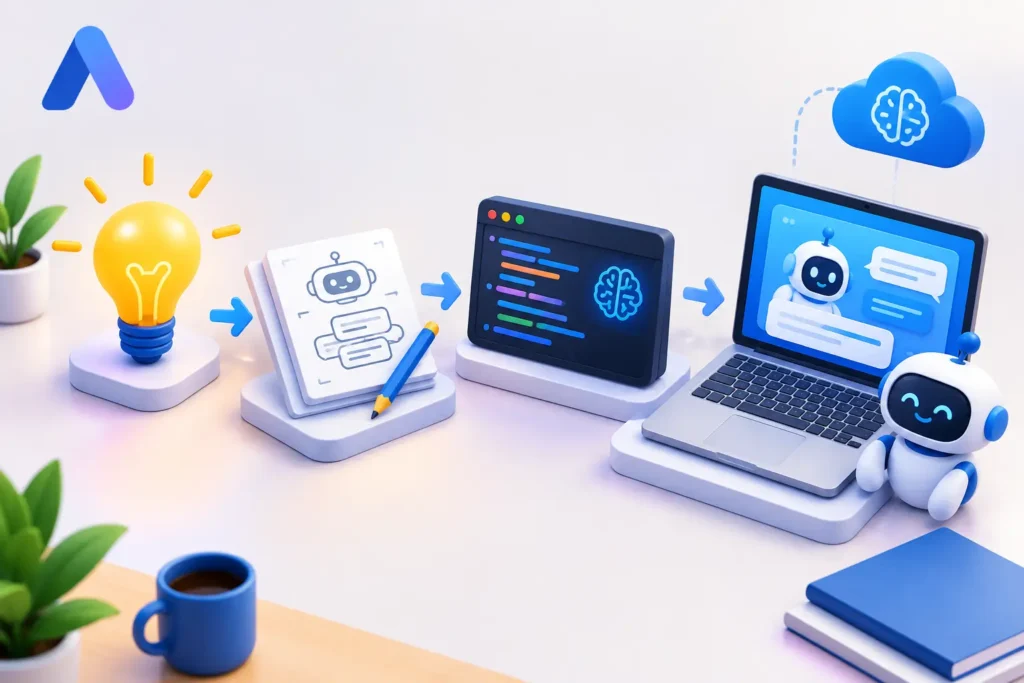
Instead of rendering a game entirely on a local device, the remote computer runs the game and streams the visual output over the internet. The player’s inputs are transmitted back to the remote system.
This setup can reduce dependence on local hardware. A compatible laptop or other supported device may be enough to access a more powerful remote environment.
However, performance depends on more than the remote computer’s specifications. Internet stability, server location, latency, streaming quality, and game compatibility also matter.
Understanding PC Gaming Virtual Environments
The term PC gaming virtual can describe a gaming environment that runs on a virtual machine or remotely hosted computer instead of a dedicated physical PC in the user’s home.
These environments can differ in how they operate. Some cloud gaming services provide access to a library of supported games, while cloud PC services offer a more complete desktop environment.
A virtual gaming computer may provide access to:
- A remote Windows desktop
- CPU and memory resources for supported applications
- GPU acceleration for graphics-intensive workloads
- Compatible game launchers and gaming software
- Storage for applications and files, depending on the service
The amount of control users receive varies between providers. Before choosing a service, check whether it supports your preferred games and allows the software installation or configuration you need.
How Does Cloud Gaming for PC Work?
Cloud gaming for PC generally follows a straightforward process.
- Connect to the service: Open the provider’s supported application or remote-access interface.
- Access the gaming environment: Start a cloud-hosted machine or launch a supported game.
- Run the game remotely: The cloud infrastructure handles the computing and graphics workload.
- Receive the stream: Video output is sent to your device.
- Interact in real time: Your keyboard, mouse, or controller inputs are sent back to the remote computer.
The main advantage is that the local device does not necessarily need the same GPU power as a physical gaming PC.
The main trade-off is network dependence. If the connection experiences high latency, congestion, or interruptions, the gaming experience can suffer.
Cloud PC vs. Traditional Gaming PC
A traditional gaming PC runs games using hardware installed locally. A cloud PC moves the main computing resources to remote infrastructure and lets users access them through the internet.
Both approaches have benefits.
A local PC offers direct hardware control, offline access to compatible games, and no streaming delay caused by a remote connection. However, buying a powerful system can require a substantial upfront investment.
A cloud PC can offer access to different hardware configurations without requiring the user to purchase and maintain a high-performance desktop. It can also make remote computing accessible from multiple compatible devices.
On the other hand, cloud PC users must consider recurring costs, internet availability, server latency, and restrictions on supported games or applications.
The best choice depends on usage habits, budget, and network conditions.
What to Consider When Choosing a Cloud Gaming Service
Before selecting a cloud computer for gaming, evaluate the complete service rather than focusing only on its advertised GPU.
GPU and CPU Performance
Check the available graphics hardware, processor, memory, and storage. Different games have different requirements, so match the configuration to the titles you want to play.
Server Location and Latency
The distance between your location and the server can affect responsiveness. Network routing and congestion also influence performance, meaning that a powerful server alone cannot guarantee a smooth experience.
Game Compatibility
Not all games work on every cloud gaming platform. Some titles have licensing, anti-cheat, operating system, or virtual-machine restrictions.
Pricing and Usage
Cloud gaming services may charge through subscriptions, usage-based billing, or other arrangements. Estimate how many hours you expect to play and compare the total cost.
Device Support
Confirm that your laptop, desktop, Mac, or other device supports the provider’s connection method. Also check whether your preferred controller and peripherals will work correctly.
SensePC and Cloud PC Gaming
SensePC is an option for users exploring remotely accessible computers for gaming and other computing tasks.
The platform provides cloud computing environments, including Windows-based cloud PCs intended for gaming and GPU-intensive workloads. Instead of depending entirely on a local machine’s hardware, users can access computing resources hosted remotely.
For gamers, a cloud PC can be useful when the local device lacks the graphics performance required for certain supported titles. It may also provide a broader computing environment for other compatible applications.
When evaluating SensePC or any alternative, review the current hardware configurations, billing terms, supported games, connection requirements, and setup process. These details help determine whether the service fits your specific needs.
Can You Use a Cloud PC for More Than Gaming?
Yes, depending on the configuration and provider’s policies.
A general-purpose cloud PC can support activities such as software development, productivity, creative applications, and testing. GPU-enabled environments may also support certain rendering, machine learning, and graphics workloads.
This versatility can be useful for people who need a capable computer for several purposes rather than gaming alone.
However, users should check software compatibility and resource requirements. A cloud PC designed for everyday tasks may not provide the hardware needed for demanding graphics applications.
Tips for a Better Cloud Gaming Experience
A few practical steps can help improve performance:
- Use a stable internet connection, preferably wired Ethernet when possible.
- Close unnecessary applications that consume bandwidth.
- Choose a server region that provides a responsive connection.
- Check the game’s system requirements before selecting a configuration.
- Test input responsiveness and stream quality before committing to a long-term plan.
- Review storage policies and session limits to avoid unexpected interruptions.
These steps cannot eliminate every network limitation, but they can help identify whether a particular cloud gaming service is suitable for your setup.
Conclusion
A cloud computer for gaming offers an alternative to purchasing a high-end physical PC. Through cloud gaming for PC, users can access remote computing resources and stream gameplay to compatible devices. Virtual gaming environments may also provide a broader desktop experience, depending on the service.
Cloud PC platforms such as SensePC give users another option to evaluate when looking for remotely hosted computing power. The right choice comes down to hardware performance, game compatibility, latency, pricing, and how often the service will be used.
By considering these factors before signing up, gamers can make a more informed decision about whether cloud computing is a practical fit for their gaming setup.